Dual Enrollment - Inscripción Doble

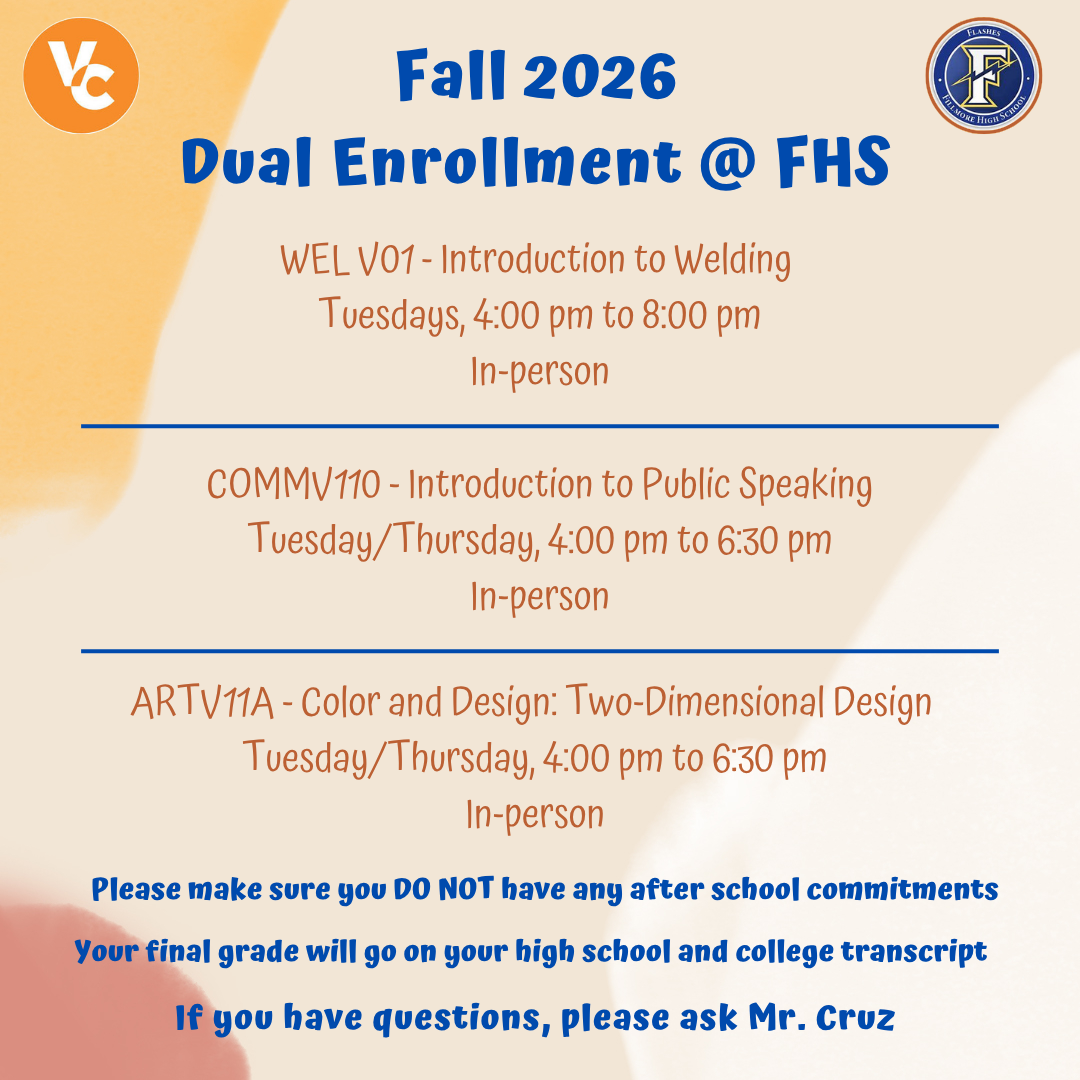
Dual enrollment is for K-12 students who wish to take college classes in addition to the classes they are taking at Fillmore High School. The goal is to provide students who can benefit from advanced academic and vocational education the opportunity to take college-level courses unavailable through their primary school or other alternatives.
La inscripción doble es para estudiantes de K-12 que deseen tomar clases universitarias además de sus cursos de K-12. El objetivo es brindarles a los estudiantes que pueden beneficiarse de la educación escolar y vocacional avanzada la oportunidad de tomar cursos de nivel universitario que no están disponibles en su escuela primaria u otras alternativas.
New students: create an account on CCCApply and apply to the semester:
- Apply to Ventura College on CCCApply
- Click “Create an Account”
- Account creation is permanent. Please use a personal email or phone number (Parents, please DO NOT use your email or phone number, make sure the student uses their email and phone number)
- Apply to Ventura College for the term you plan to enroll in
- You will receive a welcome email with your 900 Student ID, username, and email after 24 to 48 hours
Returning students: sign in to CCCApply:
- Click the blue “Sign In” button at CCCApply.
- If you forgot your password, please select “Forgot your password?” and follow the steps on the screen to recover your account
- If you lost access to the email or if you have any difficulties recovering your password, please call the help desk (877) 247-4836 to recover your account.
- Under “My Applications,” click the blue “Start a New Application” button.
- Select the term you plan to take a college course
Requesting courses through DualEnroll.com:
- Log in to DualEnroll.com using your MYVCCCD Portal login information
- Once you log in, follow the steps:
- Update your date of birth and phone number, click “Confirm”
- Make sure your 900 ID # is correct, click “Confirm”
- Read the Ventura County Community College District Terms and Conditions, click “Confirm”
- Read the Non-Harassment/ Discrimination Policy Affirmations, click “Confirm”
- Read the Financial Responsibility/ Agreement, click “Confirm”
- Complete the Parent or Guardian Information, click “Update”
- Complete the School section (Search for Fillmore Senior High), click “Update
- You will be prompted to search for courses. Reminder: please speak with your School Counselor before selecting courses. To connect with your School Counselor, please click the link: School Counseling Visits – Fill out form